About the public alpha
(updated 24.01.2026)
The current version of StreamBuffRe will no longer be updated and once the alpha phase concludes the new version will replace the current one.
During this public alpha phase users can test the new version of StreamBuffRe.
Although the new version is better it might still have bugs and misses some features from the current version; if you encounter any bugs please inform us via mail or by opening a github issue.
You can download the latest alpha version here
Changes
Many things have changed already in this alpha and more changes might occur. Here is a none non-exhaustive overview:Desktop interface
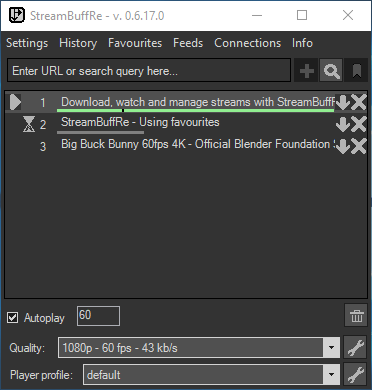
Old desktop interface
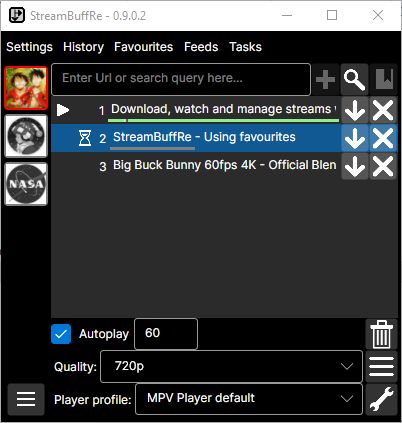
New desktop interface
The new creator panel on the left of the new main window lets users directly check if a creator is online and/or if they have new videos.
WebGUI replacing old remote control
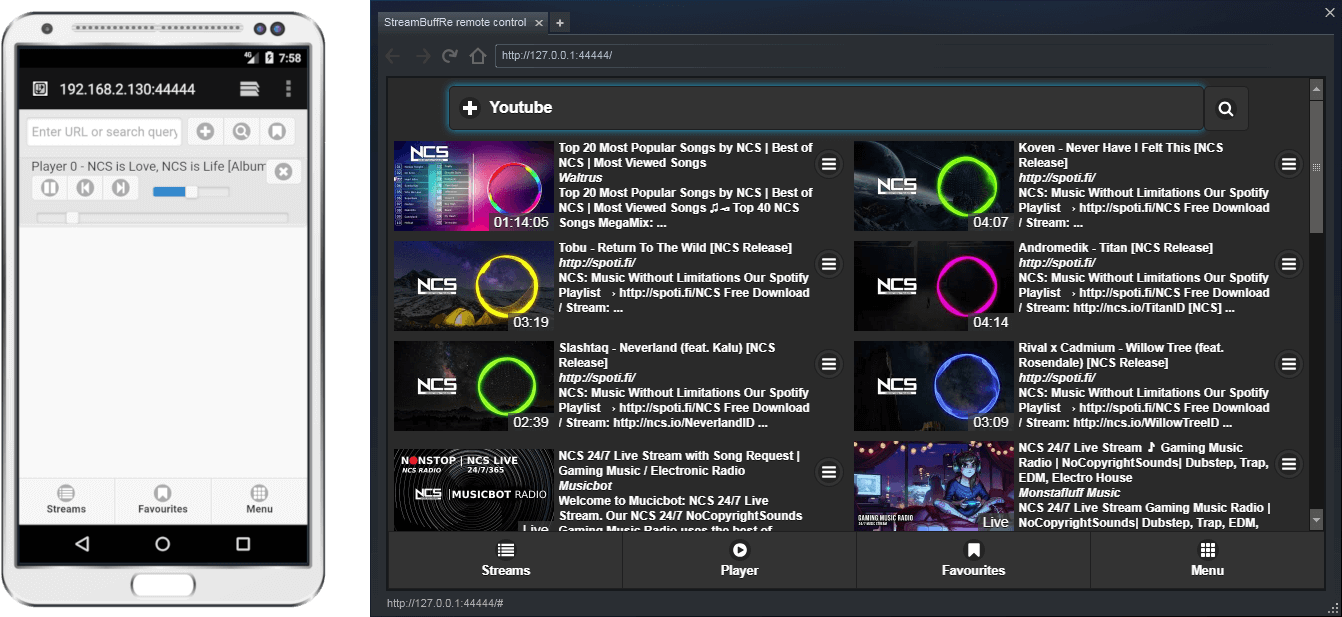
Old WebGUI / Remote control
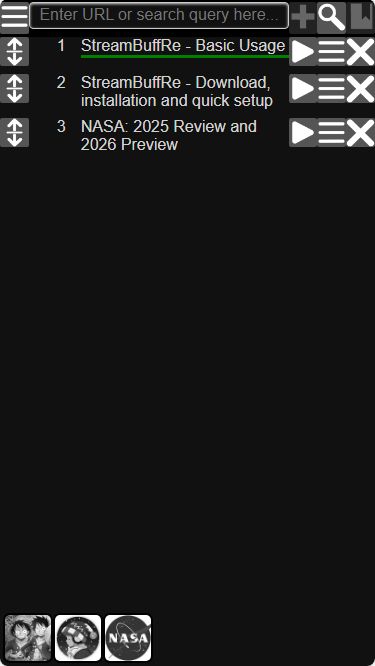
New WebGUI on mobile
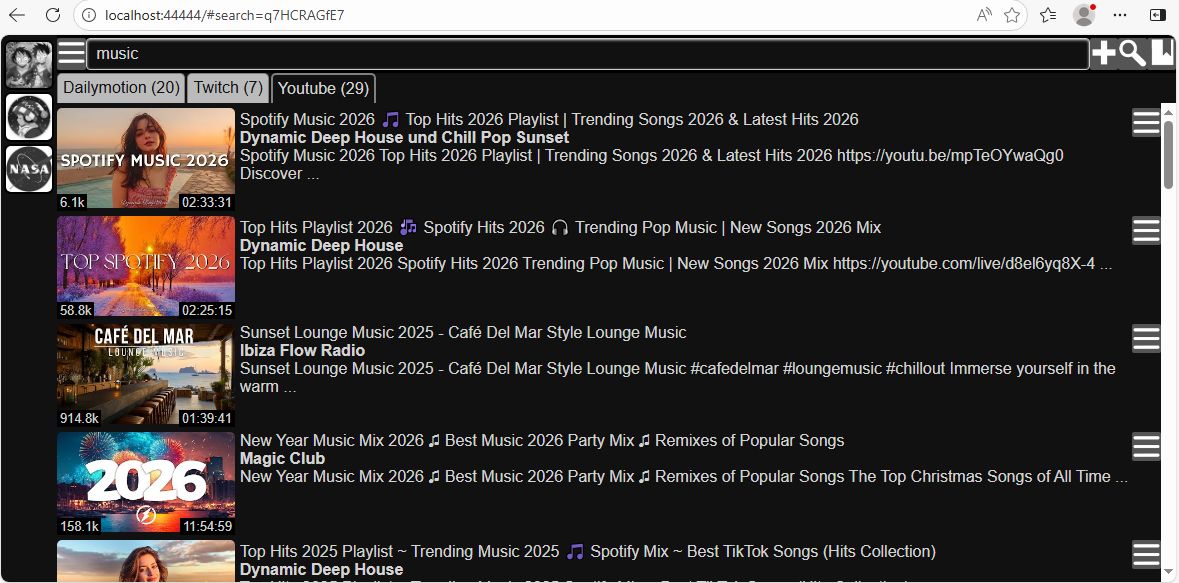
New WebGUI in desktop browser
Some key features of the WebGUI include a cleaner playlist, customizable creator panel sharing the creators with the main window, better preview of search results, the ability to change settings and tasks and much more. This allows users to run StreamBuffRe in the new server mode without any desktop interface at all.
Internals
Besides the visual and usability advancements the internals have been modernized as well.
This allows for greater control of the buffering / RAM usage and support for modern web technologies to handle even more stream sources.
There are many other little things like removing the necessity to have a player installed to use StreambuffRe at all and the better tuneable history.
Enhancements
Following enhancements are implemented in the alpha version and can be used now.
Creator panel
The new creator panel on the left of the new main window and WebGUI lets users directly check if a livestream is online or if new videos are available in the feeds of a creator.
Via the the context menu of a creator different tasks, like getting notifications when a creators livestream starts, can easily be managed.
Of cause the creator panel can be customized or just completely hidden.
Of cause the creator panel can be customized or just completely hidden.
Server mode
StreamBuffRe can now be started without the desktop interface active by using the command line argument
This will only start the WebGUI and allow StreamBuffRe to be used on devices without graphical interface.
--webserver-only
This will only start the WebGUI and allow StreamBuffRe to be used on devices without graphical interface.
Better search
The search was enhanced to let users explore playlists as well as channel contents and browse through previous and later results.
Via the context menu creators can easily be added to the creator panel.
Searching through favourites and feeds is now possible as well as listing all unseen feed entries of all feeds.
Feeds with multiple sources
Feeds can now have multiple sources instead of just one.
So if a creator has multiple channels on one or more platforms all of the new streams can now be combined into one single feed.
Missing features
The alpha version lacks some features of the current version that will be implemented during the alpha phase. Among them are:
Besides MPV as the preferred player many users want to be able to use VLC as well, so we are dedicated to bring it back.
VLC support has been added with version 0.9.2.0 . MPV is still preferred.
Modern installer
In order to help users to get StreamBuffRe running we are checking options for modern windows installers in order to replace the not so fresh old installer.
For now all alpha versions are running portable and store all their settings in the same folder the executable is placed.
On the linux side we hope to bring StreamBuffRe to distribution platforms like flatpak and snap.
On the linux side we hope to bring StreamBuffRe to distribution platforms like flatpak and snap.
Global hotkeys
We are checking how to bring back global hotkeys to control StreamBuffRe via key inputs even if StreamBuffRe has no focus.
Connections
In order to support connections between StreamBuffRe instances over the internet an underlying network is necessary.
For now we haven't decided which option to use or if we should provide our own servers.
ScChrom support
The reason is ScChrom itself not StreamBuffRe: We are working on a new ScChrom version that can work on windows and linux alike with current chromium builds.
This should bring back StreamBuffRes ability to handle streams from almost all websites.
Player for WebGUI
Although managing StreamBuffRe via WebGUI is very practical, watching streams directly in the WebGUI opens a completely new way of using StreamBuffRe.
To realize this we will add a player to the WebGUI.
Autostart
For now experienced users can autostart StreamBuffRe themselfs.
For less experienced users we aim to bring back that setting no matter if running on linux or windows.
VLC Player support
VLC support has been added with version 0.9.2.0 . MPV is still preferred.
Removed features
Here is a list of features that have been removed and won't come back.
Taskbar preview window
Meant is the small window appearing when hovering with the mouse over the taskbar icon.
It was always hacky and the creator panel makes it mostly obsolete.
Support for PhantomJS
PhantomJS provided a way for the user to resolve streams from websites not supporter by Youtube-dlp.
However it has long been deprecated and hardly works.
ScChrom support will completely replace it once a new ScChrom version is available.
Support for MPC player
The support for MPC Player was always hacky at best.
If you know about a player that supports some kind of remote controlling and you want to see working together with StreamBuffRe let us know.